Getting significant figures wrong is one of the easiest ways to lose points on a lab report or misreport a measurement.
A reliable sig fig calculator takes the guesswork out of the process, whether you’re counting digits, rounding a result, or working through addition, subtraction, multiplication, or division.
This significant figure calculator gives instant, rule-based answers with a visual breakdown so you can see exactly why each digit counts.
Sig Fig Calculator
Sig Fig Calculator
Count the significant figures in a number, run arithmetic that carries the right precision through, or round to a chosen number of digits — with every digit marked the way a lab notebook would mark it.
Type a number — whole, decimal, or scientific notation like 2.50e3 — and see which digits count, and why.
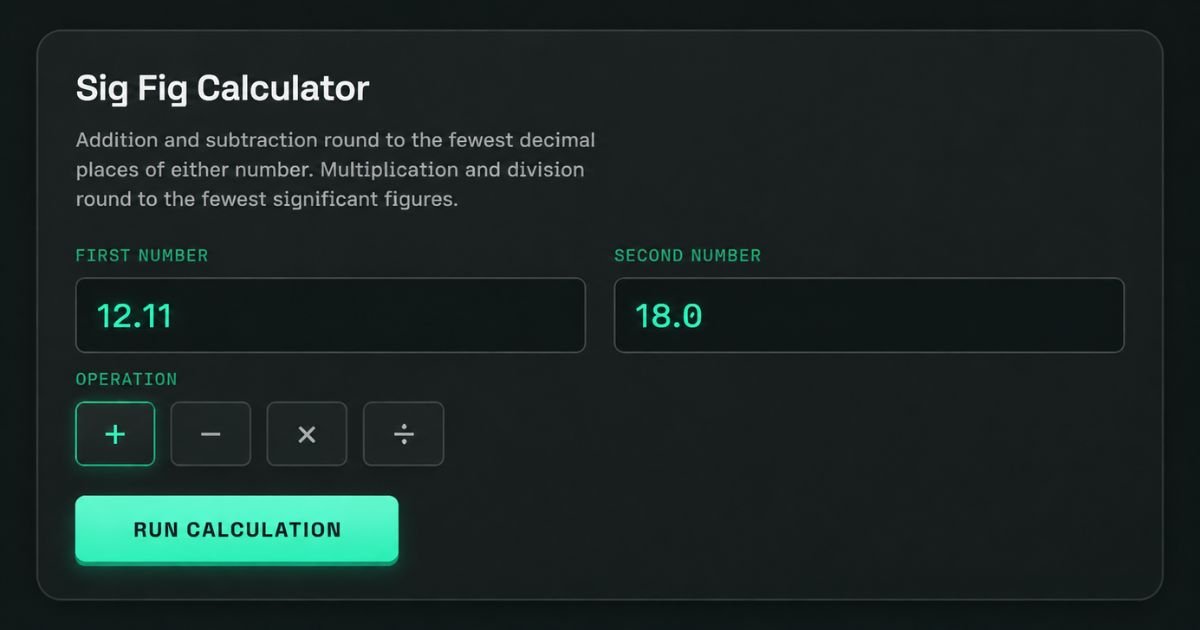
Addition and subtraction round to the fewest decimal places of either number. Multiplication and division round to the fewest significant figures.
Round any number to a chosen number of significant figures and see the rounding decision.
Our sig fig calculator works two ways: as a counter and as a full calculator for arithmetic. Both modes apply the correct significant figures rules automatically, so you never have to memorize every exception.
Sig Fig Counter
Type any number — a whole number, a decimal, or scientific notation — and the counter identifies every significant digit instantly.
Result
The output shows the total count of significant figures, plus a digit-by-digit color map marking which digits are significant, which are placeholders, and where the decimal point sits.
Sig Fig Calculator
Choose an operation (addition, subtraction, multiplication, or division), enter two numbers, and the tool applies the matching sig figs rule for that operation — not a one-size-fits-all shortcut.
Result with Correct Significant Figures
You’ll see the raw, unrounded answer next to the correctly rounded one, along with a short note on which rule — decimal-place or sig-fig — determined the final precision.
Rounding Tool for Significant Figures
Rounding is where most manual mistakes happen. This rounding tool removes the guesswork with clear, visual feedback at every step.
Powerful Rounding Features
- Round to 2 significant figures, 3, or any target precision
- Visual breakdown of which digits survive rounding
- Correct handling of trailing zeros, with and without a decimal point
- Full step-by-step explanations for every rounding decision
Round to Specific Sig Figs
Enter your number, pick the target precision (1 through 5 or more), and the calculator rounds instantly using standard rounding conventions.
Rounded Result
The result card shows the rounded value and explains exactly which digit triggered the round-up or round-down decision — no ambiguity left behind.
What Are Significant Figures?
Significant figures are the meaningful digits in a measurement — every certain digit plus the first uncertain one. They exist because no measuring tool is perfectly exact. As one chemistry instructor put it: “A number is only as precise as the tool that measured it — sig figs keep that honesty intact.” A good significant figure calculator applies this logic consistently, parsing whole numbers, decimals, and scientific notation the same way every time.
Why Are Significant Figures Important?
A calculated answer can never be more precise than its least-precise input. Reporting extra digits implies false accuracy — a serious problem in chemistry labs, engineering tolerances, and physics coursework across US classrooms. In one common lab scenario, a student measures mass to 0.1 grams but reports density to five decimal places; the result overstates the actual measurement precision of the data. Using a precision calculator during data analysis prevents that error before it reaches a report.
Significant Figures Rules
| Rule | Description | Example | Sig Figs |
| Non-zero digits | Always significant | 245 | 3 |
| Captive zeros | Zeros between non-zero digits count | 1005 | 4 |
| Leading zeros | Never significant; just decimal placeholders | 0.0052 | 2 |
| Trailing zeros (with decimal) | Significant — shows measured precision | 25.00 | 4 |
| Trailing zeros (no decimal) | Ambiguous, usually not counted | 2500 | 2 |
| Scientific notation | Only coefficient digits count | 2.50 × 10³ | 3 |
Significant Figures in Calculations: Addition vs. Multiplication Rules
Addition and subtraction follow a different rule than multiplication and division, and mixing them up is the single most common mistake.
| Operation | Rule Used | Example |
| Addition / Subtraction | Round to fewest decimal places | 18.0 + 1.013 → 19.0 |
| Multiplication / Division | Round to fewest significant figures | 4.56 × 1.4 → 6.4 |
Sig Fig Examples: Step-by-Step Worked Problems
Example 1 — Counting: How many sig figs in 0.004500? Step 1: leading zeros don’t count. Step 2: 4, 5, 0, 0 all count because of the decimal point. Result: 4 significant figures.
Example 2 — Multiplication: 4.56 (3 sig figs) × 1.4 (2 sig figs) = 6.384 raw. Since 1.4 has fewer sig figs, the answer rounds to 6.4.
How to Use the Significant Figure Calculator
- Enter your number — decimals, whole numbers, or scientific notation all work.
- Select the operation — count, round, or calculate.
- Get your result — instant output with a visual digit breakdown.
Tips for accuracy:
- Enter every measured digit, including zeros
- Use a decimal point to remove ambiguity in trailing zeros
- For addition/subtraction, focus on decimal alignment
- For multiplication/division, track the limiting sig fig count
- Round only at the final step of multi-step problems
Common Sig Fig Mistakes to Avoid
- Miscounting trailing zeros in whole numbers without a decimal
- Applying the multiplication rule to an addition problem, or vice versa
- Rounding too early in a multi-step calculation
- Forgetting that counted or exact numbers have infinite sig figs
Frequently Asked Questions (FAQs)
What is a sig fig calculator and when should I use it?
It counts, rounds, and calculates significant figures for accurate scientific results.
How does a sig fig calculator determine which digits are significant?
It applies standard zero, decimal, and notation rules automatically to every digit.
How can I use calculators to round answers after multiplying or dividing using significant figures?
Round the result to match the input with fewest significant figures.
What happens when you use a calculator with significant figures for adding and subtracting?
It rounds based on the fewest decimal places among the numbers.
Can significant figure calculators handle scientific notation as well as very large or very small numbers?
Yes, coefficient digits are counted accurately regardless of number size.
What are some mistakes a sig fig calculator can prevent?
It prevents zero miscounts, wrong rounding rules, and lost precision.
Does a sig fig calculator have any disadvantages?
It can’t judge measurement context or replace full error analysis.
What suggestions would you give to enhance precision when operating a sig fig calculator?
Use unrounded values, scientific notation, and round only at the end.
Conclusion
Whether you’re counting digits, rounding to a target precision, or solving multi-step equations, this sig fig calculator applies every significant figures rule correctly and consistently. It’s built for students, lab work, and technical calculations where measurement precision actually matters — try it above and get accurate results every time.
Arizona Tea Can Dimensions And Gatorade Bottle Dimensions And Soda Can Dimensions And Red Bull Can Dimensions And Dimensions of Monster Can And Coke Can Dimensions And Pokémon Card Dimensions Gatorade Bottle Dimensions And Arizona Tea Can Dimensions

Hi, I’m John Wick, the admin at Magazineaura.com. I make measurements simple and easy to understand, from bed sizes to everyday length conversions. Clear guides. Accurate dimensions. No confusion.